
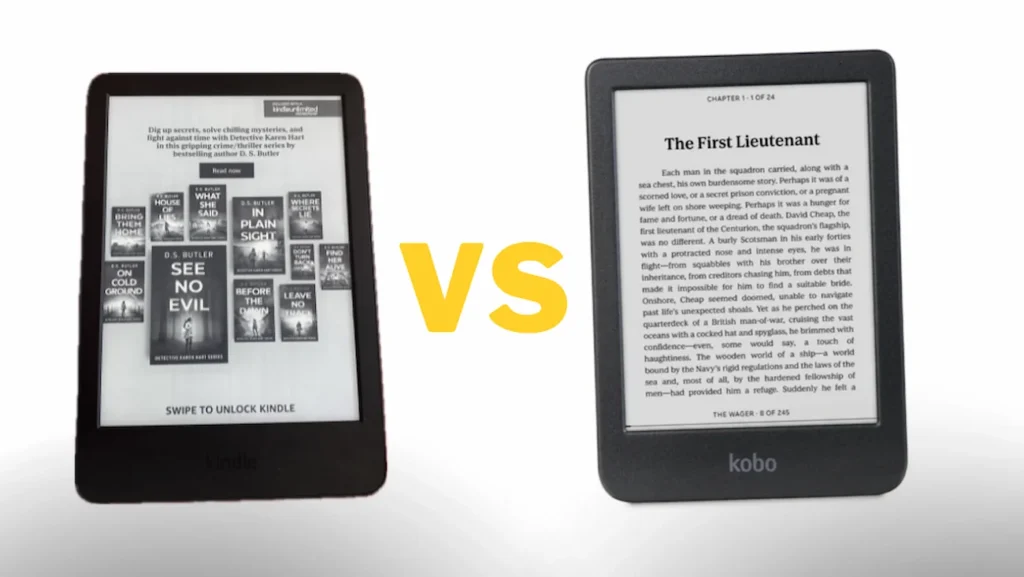
Are you looking to buy an e-reader but can’t decide between Kobo and Kindle? In this article, I’ll outline what the two devices have in common, highlighting their pros and cons—as well as the key differences you need to know. This way, you won’t have to waste time scouring dozens of posts to find the right device. Instead, you can get all the information you need right here.
Kobo and Kindle: common ground
Both devices are an excellent alternative if you want to read a large number of books on a single device without having to carry hundreds of them around. Plus, both are perfect for reading because they mimic real book pages thanks to E Ink (electronic ink) technology, which makes the screen resemble paper. So, you won’t experience eye strain whether you’re reading during the day, at night, or outdoors.
Another advantage is that you can read books on both devices while in the park, in your backyard, and so on. Yes, it’s a great solution because, unlike reading on phones or tablets, Kobo and Kindle devices don’t have issues with screen glare, so you can read in direct sunlight without any trouble.
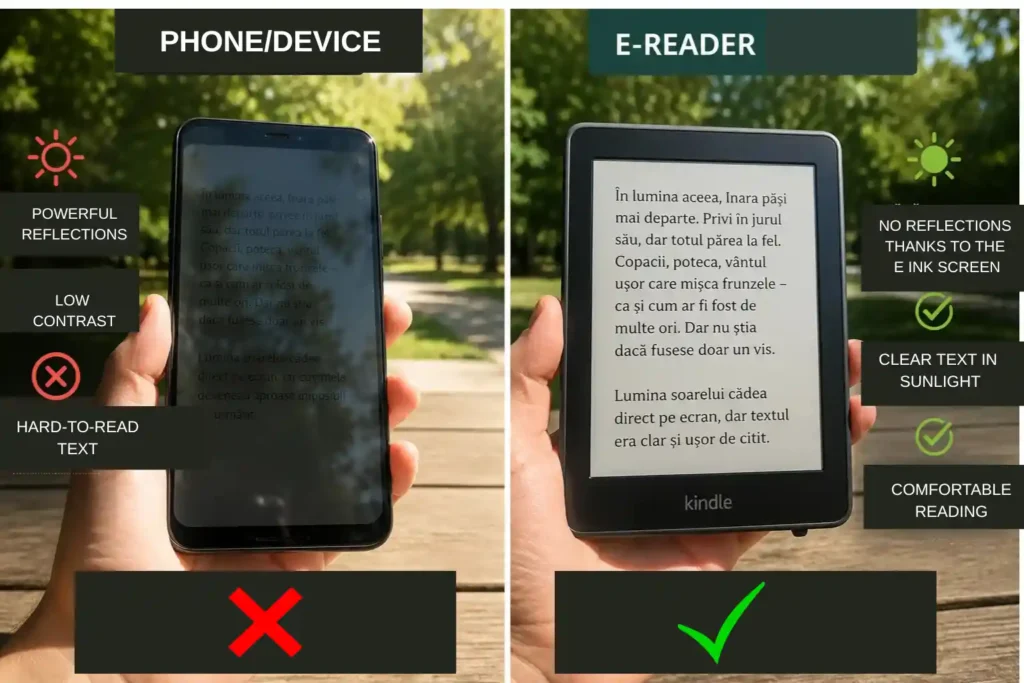
In fact, you can even read in the evening with the lights off. E-readers are an effective alternative to phones; essentially, instead of scrolling through social media before bed, you can read a book on one of these devices without significantly disrupting your sleep, as you avoid the blue light emitted by standard screens.
Both e-readers feature power buttons and apps that sync with the device you are using – the Kobo app for Kobo and the Kindle app for Kindle.
Both devices feature dark mode; in other words, if you enjoy reading books with a black or dark background, you can choose either model.
Both Kindle and Kobo offer special features for people with dyslexia. This is one of the main advantages of e-books over printed books, enabling avid readers who face reading difficulties to read any book they wish.
Both devices have good reading systems, and you can track your progress—specifically, you can see how much of a book you have read. Of course, you can disable this feature.
Both devices allow for word translation and include built-in dictionaries. However, a drawback is the limited language support; although multiple languages are available on both devices, Romanian, Polish, Albanian, and others are not among them. Nevertheless, if you wish to download books to your Kindle (in any language), check out the article on converting PDF files to Kindle-compatible formats or the one on how to add books to your Kindle from your phone in just six simple steps.
You can also add notes and highlight text you liked on Kindle and Kobo.
You can adjust the brightness on both devices, although there are some differences in customization.
Both feature USB-C charging, and a single charge lasts an average of six weeks, depending on the features used. For instance, Amazon claims its Kindle models last between 6 and 12 weeks, while Kobo states that a single charge lasts 52 days (7 weeks and 3 days)—provided you read for only 30 minutes a day with brightness set to 10% and Wi-Fi and Bluetooth disabled.
Another advantage is that you can download thousands of books on both Kobo and Kindle. For instance, Kobo states that its 16 GB devices can hold up to 12,000 eBooks or 75 Kobo audiobooks. Kindle, on the other hand, does not specify an exact number of books but offers models with storage capacities of 16 GB, 32 GB, and 64 GB.
This means you can download thousands of books, magazines, and comics. Beyond this, Amazon does not cite a specific number of books because the capacity depends not only on storage size (GB) but also on factors such as file size and the presence of images.
Differences between Kobo and Kindle
Some Kindle models are cheaper than Kobo devices but come with ads. For instance, the Kindle lineup includes the Kindle Basic (with or without ads), Kindle Paperwhite, Kindle Colorsoft, and Kindle Scribe.
Kobo offers models that are slightly more expensive but ad-free, with a wider range of options such as the Kobo Libra Colour, Kobo Clara Colour, Kobo Clara BW, Kobo Elipsa 2E, Kobo Elipsa Pack, Kobo Sage, Kobo Libra 2, Kobo Clara 2E, and Kobo Nia. For example, the cheapest Kindle is the Basic model, which costs around $127, while other models can reach $419.99 depending on the color—specifically, the 16 GB version with ads but you can also purchase the ad-free version, though you’ll have to pay extra.
An important point: ads don’t appear while you’re reading, only on the main cover (the opening and closing pages). So, it’s not a big issue!
The cheapest Kobo model is the Kobo Clara BW (16 GB, ad-free), which is available at prices ranging, on average, from 184$ and other models reach the price of 430,50 $.
Another difference is that Kindle offers models designed for children, whereas Kobo does not have such models. Additionally, Kindle offers the Scribe model (which is not intended for children) in a 64 GB version, unlike Kobo, which only sells 16 GB and 32 GB models.
Kobo devices are made exclusively from recycled plastic and are repairable. In contrast, only some Kindle models are made from 75% recycled plastic and 90% recycled magnesium, while the packaging is 100% recyclable.
Most Kobo models are waterproof; only the Kobo Elipsa 2E, Kobo Elipsa Pack, and Kobo Nia lack this feature. In contrast, since the Kindle lineup is more limited, only the Paperwhite and Colorsoft models are waterproof; the Kindle Basic (11th generation/2022) and older models do not have IPX8 certification, which confirms water resistance.
Kindle has a simple and well-optimized interface (allowing you to adjust the font type, size, weight, line spacing, margins, and page orientation), but Kobo wins by a wide margin because, in addition to the options Kindle offers, it provides the ability to add more pre-installed fonts and custom fonts (TTF/OTF), as well as finer controls for font weight, margins, and spacing.
Kindle has a larger ecosystem, meaning you can access a vast number of books, unlike Kobo. However, you won’t find books in many languages on Amazon Kindle, whereas you do on Rakuten Kobo.
Kindle offers the Unlimited program, a monthly subscription service for borrowing books on its devices. For more details about the Kindle program, read the article “Everything You Need to Know About Kindle Unlimited.”
On the other hand, Kobo offers the Kobo Plus program, which allows you to choose from three subscription plans: Kobo Plus Read (over 1.5 million books), Kobo Plus Read & Listen (over 1.5 million books and over 150,000 audiobooks), and—last but not least—the Kobo Plus Listen plan (offering over 150,000 audiobooks).
When you purchase books for Kindle, you cannot transfer them to other e-readers or devices. This is a disadvantage, as you are restricted to using only the Amazon ecosystem—although you can transfer free books (from other platforms or libraries) using the Calibre program.
Kobo devices have the edge here because you can download books and transfer them to a Kindle or any other device. This makes sense, as buying a book gives you the right to send it to whichever device you choose—especially if you want to switch to a different e-book provider or device brand.
Kobo encourages reading and borrowing books from libraries. To this end, Kobo integrates with OverDrive—a service that allows you to borrow e-books for free from participating public libraries. If your library is part of the OverDrive network, you can simply log in with your library card and borrow books directly on your Kobo device. The problem is that not all libraries in the world have the OverDrive service.
The screens on Kindle models appear to be of much higher quality than those on Kobo devices in terms of the clarity and intensity of text pages, even though both devices (in theory) come with 300-pixel-per-inch screens.
All Kobo devices feature a warm light function for the screen. Among Kindle models, only the Basic version lacks the option for warm light, whereas the other new models include it. However, the absence of the warm light function is not a major issue, as an e-reader mimics a book page; consequently, reading – whether with or without warm light – does not harm your eyesight.
Frequently Asked Questions about Kindle and Kobo (FAQ)
Is Kindle cheaper than Kobo?
Yes, the cheapest model is the Kindle Basic—the version with ads, compared to the cheapest model from Kobo, the Kobo Clara BW. However, prices can be similar for other models from both brands.
Are Kindle and Kobo e-readers waterproof?
Yes, many Kobo models are water-resistant; only the Kobo Elipsa 2E, Kobo Elipsa Pack, and Kobo Nia are not. In contrast, among Kindle models, only the Paperwhite and Colorsoft are water-resistant, while the Kindle Basic and older models lack IPX8 certification, which confirms water resistance.
Which e-reader — Kindle or Kobo — has a longer battery life?
Amazon claims the Kindle lasts around 6–12 weeks (depending on the model), while Kobo claims its models’ batteries last 52 days (7 weeks and 3 days) if the brightness is set to 10, you read for 30 minutes a day, and Wi-Fi and Bluetooth are disabled.
Can you download books on Kindle and Kobo?
On a Kindle, you can download books that remain saved only on Kindle devices or apps. If you want to transfer a book purchased on Kindle to another e-reader or device, you cannot do so. In contrast, with Kobo devices, you can download purchased books and transfer them to other devices, including Kindles.
Conclusion
Both e-book brands offer models with their own advantages and disadvantages. The choice depends on your preferences and needs. If you want to be tied to the Kindle ecosystem and its benefits, you might opt for Kindle models—especially if you cannot afford the more expensive ones.
The cheapest e-reader model is the Kindle Basic (with ads). However, if you prefer not to be tied to the Amazon ecosystem, you can opt for Kobo models, which allow you to download books in numerous languages; keep in mind, though, that Rakuten Kobo does not offer as vast a range of foreign-language titles as Amazon. It is up to you to decide what suits you best.
Which e-book model do you prefer?
Which e-book reader model would you like to buy, or which model do you own?
Write in the comments!