
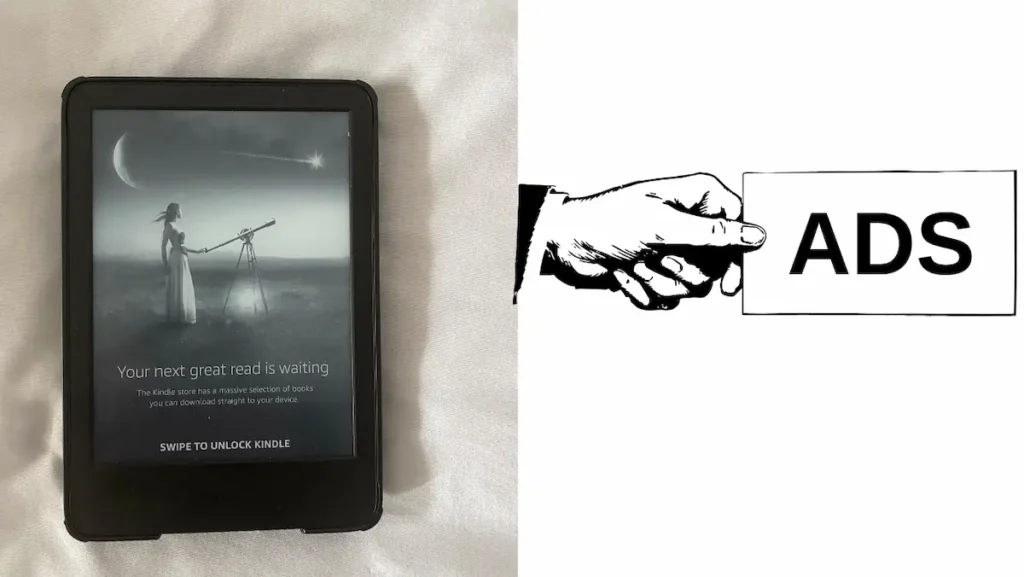
Do you own a Kindle model that displays ads, and would you prefer a clean interface without advertisements on the lock screen? The process for removing these ads is simpler than you might think and can be completed in just a few minutes. In this article, you will learn—step by step—how to remove ads on Kindle, either for free by contacting Amazon customer support, or for a fee.
Table of Contents
Before we move on to the steps, you need to understand what Kindle ads are, why they appear on the devices, and where, exactly, they show up.
What are Kindle ads, and why do they appear on the devices?
Kindle ads also referred to as “special offers” are promotional banners displayed by Amazon on its Kindle models. It is important to note that only devices purchased as the “special offers” version may include publisher-related advertisements and/or ads placed directly by Amazon.
The difference between the two types of advertisements lies in the fact that the publisher-sponsored ones—consisting of book covers and literary recommendations—appear as a result of payments made by authors or publishing houses, whereas those placed by Amazon serve to promote its own services (such as Kindle Unlimited, Audible) or other devices within its ecosystem. The primary reason these ads appear on Kindle models is to allow authors or publishers to promote their books, and for Amazon to promote its own products and services. Ultimately, the purchaser of a Kindle device benefits financially, as they are able to acquire a less expensive version of the Kindle.
Do the ads on the Kindle disturb the reader and interrupt the reading experience?
The answer is no, Kindle ads do not disturb the reader while reading. The ads appear only on the lock screen, in sleep mode, or in the Home section, labeled as “sponsored content.” Consequently, ads will not suddenly pop up while you are reading a book.
Here is also a difference between a Kindle with ads and one without ads.
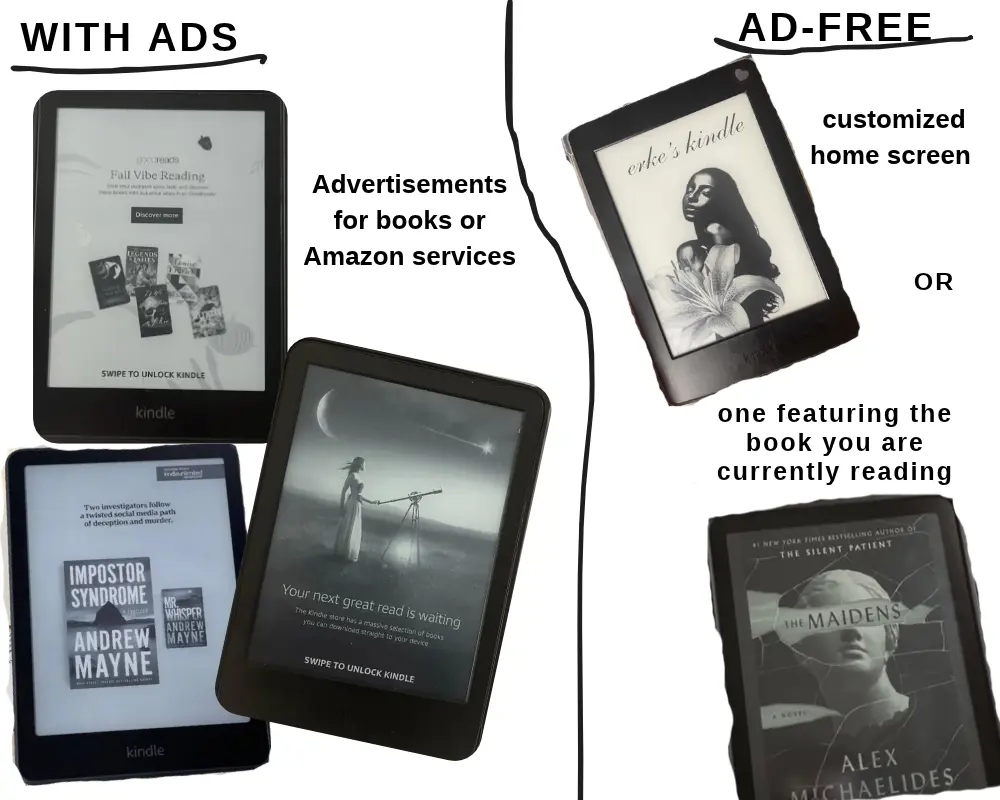
I own a Kindle Basic with ads, and I can say that it doesn’t bother me—partly because Romania is not included in Amazon’s advertising program. That is why I don’t receive ads very often, unlike users in countries such as the US, UK, Germany, France, Italy, Spain, and Japan.
If you wish to get rid of ads, for various reasons, here are the steps you need to follow.
How to remove ads from Kindle for free?
a) Contact customer service
You can remove advertisements by contacting Amazon Customer Service (via Live Chat). Simply explain to an agent why you no longer wish to see ads. This process is completely safe and legal, but you will need a plausible reason.
One of the most convincing reasons relates to your region or language: you can politely ask an agent to remove the ads by explaining that you read books in a language other than English, and that the advertisements are either bothersome, inappropriate, or irrelevant. For instance, you might be receiving ads for fantasy books with strange covers, which is problematic if the device is also used by children. In short, if the advertisements are an issue for you, it is worth giving this a try—just be sure to remain polite and honest.
Heads up! Customer service might not be able to remove the ads for you. I spoke with four different agents, and all of them claimed they couldn’t remove the ads free of charge. The first three hinted at this, while the last one was quite direct in response to my requests. I even learned that this option has been completely removed by Amazon. Essentially, in 2026, Amazon took away the ability for support representatives to access the button for removing ads at no cost. The last agent I spoke with confirmed this to me directly.
I believe Amazon revoked access because people were abusing the system; this company-wide decision was made to curb financial losses after thousands of users worldwide discovered this trick online and swamped customer support. Support agents were able to do this because each of them had a monthly budget for concessions allocated to their employee account. That is my assumption—we cannot know for certain what is happening internally.
Some current or former support staff suggest that waiving certain fees is a practice employed by some companies that maintain customer relations departments. This tactic is part of company policy and is accounted for as a cost, even though it is not explicitly advertised. It is a very simple way to earn customer loyalty and goodwill—it merely requires allocating a specific budget for this purpose. Consequently, it appears that Amazon no longer permits this practice, assuming they ever used it at all. Even if you are unsure whether support agents can help you, it is still worth a try!
b) Enable airplane mode
A temporary solution is to enable airplane mode, which will stop you from receiving ads. Keep in mind that if airplane mode is off and your internet is enabled, you will receive ads. While in airplane mode, you cannot download books, but you can read the books you have already downloaded.
c) Filter out inappropriate ads
If you receive advertisements that are not suitable for everyone, you can try the steps below. (Note: this method does not remove advertisements entirely.)
Step 1 – Right-click on the three vertical dots and select Settings.
Step 2 – Go to “Your Account” (the first option).
Step 3 – Select “Lockscreen Ads.”
Step 4 – Select “Filter ads.”
d) Performing a Jailbreak on Kindle
Personally, I don’t think it’s worth jailbreaking a Kindle—especially if you’ve bought a new device and want to ensure you can enjoy the books you’ve purchased. While there are some benefits to doing so, there are also significant risks that simply aren’t worth it.
Before moving on to the benefits and drawbacks of this practice, it is necessary to describe what jailbreaking is.
Essentially, jailbreaking is the process of removing a device’s software restrictions or limitations— imposed by the manufacturer. In practical terms, if you jailbreak a Kindle, you are no longer bound by Amazon’s limitations and gain greater control over the device. In effect, you are violating Amazon’s terms and conditions.
But why do people take this risk? Well, they simply want to have a better reading experience.
The advantages and disadvantages of jailbreaking
Since I am not very familiar with this topic, I sought information from sources well-versed in this tactic. According to vlogger Maneetpaul Singh, a jailbroken Kindle (with KOReader installed) can be customized to the user’s liking. This means the user will no longer see advertisements and can change fonts. Furthermore, they can track the time spent reading. Additionally, downloaded books and the Kindle Unlimited service remain accessible.
PS: If you want to read a book but aren’t sure how to plan it or how long it will take, use my Instant Reading Time Calculator” tool. This way, you’ll see exactly how many days it will take you to finish a book.
Another well-known benefit is that you can have an app store, Linux, or even play games. Returning to the information shared by the vlogger, jailbreaking also carries risks, including:
- the possibility that the Kindle device might stop working,
- the inability to take advantage of Amazon’s warranty or to resolve issues with the help of Customer Service,
- the incompatibility of books downloaded prior to the jailbreak with the KOReader application,
- the need to keep the device in airplane mode at all times, to avoid the risk of a software update from Amazon that could ruin the device.
How do you remove ads from a Kindle, and how much does it cost?
Since the tactic of contacting a customer support representative might not work, the only remaining option is to pay a fee to remove the advertisements entirely. The cost to remove ads from a Kindle device is $20 in the US and approximately £10 in the United Kingdom. These prices are subject to change.
a) Removing ads directly from the Amazon website
According to Amazon, you can remove ads permanently with a one-time payment. Here are the steps users need to follow:
- Go to the “Manage Your Devices” page.
- Select “Devices,” then choose your Kindle device (e-reader or tablet).
- In the “Special Offers” section, click on “Remove offers.” A pop-up window will appear, displaying the cost for removing the ads.
- Select “End Offers and Pay the Fee.”
b) Contacting customer service
If you are unable to remove it yourself, you can contact Amazon support. Their representatives will assist you with the payment or provide additional information.
Frequently Asked Questions – FAQ
What happens when you remove ads from a Kindle
If you remove ads from your Kindle, you can customize your home screen however you like. You can either enable the option to display the cover of the book you are currently reading on the home screen, or add a custom image—such as one featuring your name—or any other design you prefer.
What is jailbreaking?
Jailbreaking is the process by which a device’s software restrictions or limitations are removed. These restrictions are imposed by the manufacturing company.
Is it worth jailbreaking a Kindle?
I would say that for a user who has a new Kindle and wants access to books within the Kindle ecosystem, it’s better not to do it. The risk can be high; if you don’t do it correctly, you could destroy the device and void your Amazon warranty.
How much is it to remove kindle ads?
It depends on the region. If you live in the US, it’s 20 dollars. If you live in the UK, it might be 10 pounds. Prices can change.
Conclusion
I hope the information in this article has been useful to you; I tried to include a variety of interesting details. If you have any questions, please leave a comment in the comments section.